

Configure Responsive Mobile Menu
- Install SlickNav mobile menu from WordPress plugin window.
- Activate and configure the menu.
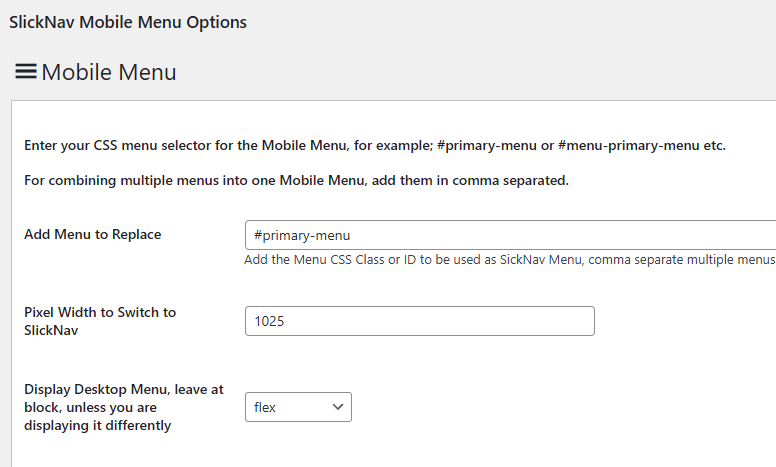
- enter #primary-menu in the field asking you to replace menu
- enter 1025px breaking point width.
- The rest is personal preference. Video shows suggested colors.